

ping使用的是 ICMP 协议,而有些云服务商或防火墙会默认禁用 ICMP(ping)请求,导致你无法ping通服务器,但这并不一定代表服务器不可访问。因此,即使ping不通,服务器依然可能是正常运行的。
1.使用 curl 扫描服务网络连通性和服务状态:
-d, --data <数据> HTTP POST 数据
-f, --fail HTTP 错误时快速失败,不输出内容
-h, --help <主题> 获取命令帮助
-o, --output <文件> 将输出写入文件而不是标准输出
-O, --remote-name 将输出写入与远程文件同名的文件
-i, --show-headers 在输出中显示响应头
-s, --silent 静默模式
-T, --upload-file <文件> 上传本地文件到目标地址
-u, --user <用户:密码> 服务器用户名和密码
-A, --user-agent <名称> 向服务器发送指定的 User-Agent 名称
-v, --verbose 使操作更详细(显示更多过程信息)
-V, --version 显示版本号并退出
curl -i -v https://www.jd.com# 默认是80端口curl -i -v 192.168.230.3# 检查443端口curl -i -v 192.168.230.3:443
不可访达测试:
PS C:\Users\Journ> curl -i -v 192.168.230.3:443* Trying 192.168.230.3:443...* connect to 192.168.230.3 port 443 from 0.0.0.0 port 11274 failed: Timed out* Failed to connect to 192.168.230.3 port 443 after 21044 ms: Could not connect to server* closing connection #0curl: (28) Failed to connect to 192.168.230.3 port 443 after 21044 ms: Could not connect to server
可访达测试:
PS C:\Users\Journ> curl -i -v https://www.jd.com* Host www.jd.com:443 was resolved.* IPv6: (none)* IPv4: 138.113.107.119, 163.171.186.121, 138.113.107.121*   Trying 138.113.107.119:443...* schannel: disabled automatic use of client certificate* ALPN: curl offers http/1.1* ALPN: server accepted http/1.1* Connected to www.jd.com (138.113.107.119) port 443* using HTTP/1.x> GET / HTTP/1.1> Host: www.jd.com> User-Agent: curl/8.14.1> Accept: */*>* Request completely sent off* schannel: remote party requests renegotiation* schannel: renegotiating SSL/TLS connection* schannel: SSL/TLS connection renegotiated* schannel: remote party requests renegotiation* schannel: renegotiating SSL/TLS connection* schannel: SSL/TLS connection renegotiated< HTTP/1.1 301 Moved Permanently
HTTP/1.1 301 Moved Permanently< Server: nginxServer: nginx< Date: Thu, 20 Dec 2024 09:24:30 GMTDate: Thu, 20 Dec 2024 09:24:30 GMT< Content-Type: text/htmlContent-Type: text/html< Content-Length: 162Content-Length: 162< Connection: keep-aliveConnection: keep-alive< Location: https://global.jd.comLocation: https://global.jd.com< x-via: 1.1 PSrbdjTYO3fx116:6 (Cdn Cache Server V2.0)x-via: 1.1 PSrbdjTYO3fx116:6 (Cdn Cache Server V2.0)< Strict-Transport-Security: max-age=31536000Strict-Transport-Security: max-age=31536000< Cache-Control: no-storeCache-Control: no-store< x-ws-request-id: 68b0204e_PSrbdjTYO3fx116_21251-63096x-ws-request-id: 68b0204e_PSrbdjTYO3fx116_21251-63096<<html><head><title>301 Moved Permanently</title></head><body><center><h1>301 Moved Permanently</h1></center><hr><center>nginx</center></body></html>* Connection #0 to host www.jd.com left intact
2. 使用 nmap 扫描开放端口
# 扫描指定的端口nmap -T4 -A -v -p 22,80,443 192.168.230.3# 扫描所有开放端口nmap -T4 -A -v 192.168.230.3
-T4 设置时间模块 默认
-A all全面扫描
-v verbose显示细节
-p port端口扫描
nmap扫描结果:
PS C:\Users\Journ> nmap -T4 -A -v -p 22,80,443 192.168.230.3Starting Nmap 7.98 ( https://nmap.org ) at 2024-12-20 16:57 +0800NSE: Loaded 158 scripts for scanning.NSE: Script Pre-scanning.Initiating NSE at 16:57Completed NSE at 16:57, 0.00s elapsed
Initiating NSE at 16:57Completed NSE at 16:57, 0.00s elapsed
Initiating NSE at 16:57Completed NSE at 16:57, 0.00s elapsed
Initiating ARP Ping Scan at 16:58Scanning 192.168.230.3 [1 port]Completed ARP Ping Scan at 16:58, 0.04s elapsed (1 total hosts)Initiating Parallel DNS resolution of 1 host. at 16:58Completed Parallel DNS resolution of 1 host. at 16:58, 0.00s elapsed
Initiating SYN Stealth Scan at 16:58Scanning aioCloud (192.168.230.3) [3 ports]Discovered open port 22/tcp on 192.168.230.3Completed SYN Stealth Scan at 16:58, 1.24s elapsed (3 total ports)Initiating Service scan at 16:58Scanning 1 service on aioCloud (192.168.230.3)Completed Service scan at 16:58, 0.03s elapsed (1 service on 1 host)Initiating OS detection (try #1) against aioCloud (192.168.230.3)Retrying OS detection (try #2) against aioCloud (192.168.230.3)NSE: Script scanning 192.168.230.3.Initiating NSE at 16:58Stats: 0:01:10 elapsed; 0 hosts completed (1 up), 1 undergoing Script ScanNSE: Active NSE Script Threads: 149 (0 waiting)NSE Timing: About 0.00% done
Completed NSE at 16:58, 5.02s elapsed
Initiating NSE at 16:58Completed NSE at 16:58, 0.00s elapsed
Initiating NSE at 16:58Completed NSE at 16:58, 0.00s elapsed
Nmap scan report for aioCloud (192.168.230.3)Host is up (0.00060s latency).PORT    STATE    SERVICE VERSION22/tcp  open     ssh     OpenSSH 7.4 (protocol 2.0)| ssh-hostkey:|   2048 68:91:15:fb:15:4f:2e:bc:11:2f:34:2c:93:85:74:4a (RSA)|   256 32:d2:be:93:16:d7:f3:04:df:bb:54:a6:89:7c:93:57 (ECDSA)|_  256 27:73:27:47:41:ed:cb:8e:17:dc:80:c3:45:c2:2b:3c (ED25519)80/tcp  filtered http443/tcp filtered httpsMAC Address: 00:0C:29:1D:57:0E (VMware)Warning: OSScan results may be unreliable because we could not find at least 1 open and 1 closed portAggressive OS guesses: Linux 3.2 - 4.14 (97%), Linux 3.10 - 4.11 (95%), Linux 5.1 - 5.15 (94%), Linux 4.10 (91%), Linux 4.4 (91%), OpenWrt 19.07 (Linux 4.14) (91%), Linux 2.6.32 - 3.13 (91%), Linux 4.15 - 5.19 (91%), Linux 5.0 - 5.14 (91%), Synology DiskStation Manager 5.2-5644 (91%)No exact OS matches for host (test conditions non-ideal).Uptime guess: 0.044 days (since Thu Dec 20 15:55:51 2024)Network Distance: 1 hopTCP Sequence Prediction: Difficulty=259 (Good luck!)IP ID Sequence Generation: All zeros

TRACEROUTE
HOP RTT     ADDRESS1   0.60 ms aioCloud (192.168.230.3)NSE: Script Post-scanning.Initiating NSE at 16:58Completed NSE at 16:58, 0.00s elapsed
Initiating NSE at 16:58Completed NSE at 16:58, 0.00s elapsed
Initiating NSE at 16:58Completed NSE at 16:58, 0.00s elapsedRead data files from: d:\NmapOS and Service detection performed. Please report any incorrect results at https://nmap.org/submit/ .Nmap done: 1 IP address (1 host up) scanned in 75.43 seconds           Raw packets sent: 74 (6.852KB) | Rcvd: 50 (3.733KB)
nmap端口状态解析:
open: 应用程序在该端口接收 TCP 连接或者 UDP 报文。closed:关闭的端口对于nmap也是可访问的, 它接收nmap探测报文并作出响应。但没有应用程序在其上监听。filtered:由于包过滤阻止探测报文到达端口,nmap无法确定该端口是否开放。过滤可能来自专业的防火墙设备,路由规则 或者主机上的软件防火墙。unfiltered:未被过滤状态意味着端口可访问,但是nmap无法确定它是开放还是关闭。 只有用于映射防火墙规则集的 ACK 扫描才会把端口分类到这个状态。open | filtered:无法确定端口是开放还是被过滤, 开放的端口不响应就是一个例子。没有响应也可能意味着报文过滤器丢弃了探测报文或者它引发的任何反应。UDP,IP协议,FIN, Null 等扫描会引起。closed | filtered:(关闭或者被过滤的):无法确定端口是关闭的还是被过滤的
3.在线工具检测
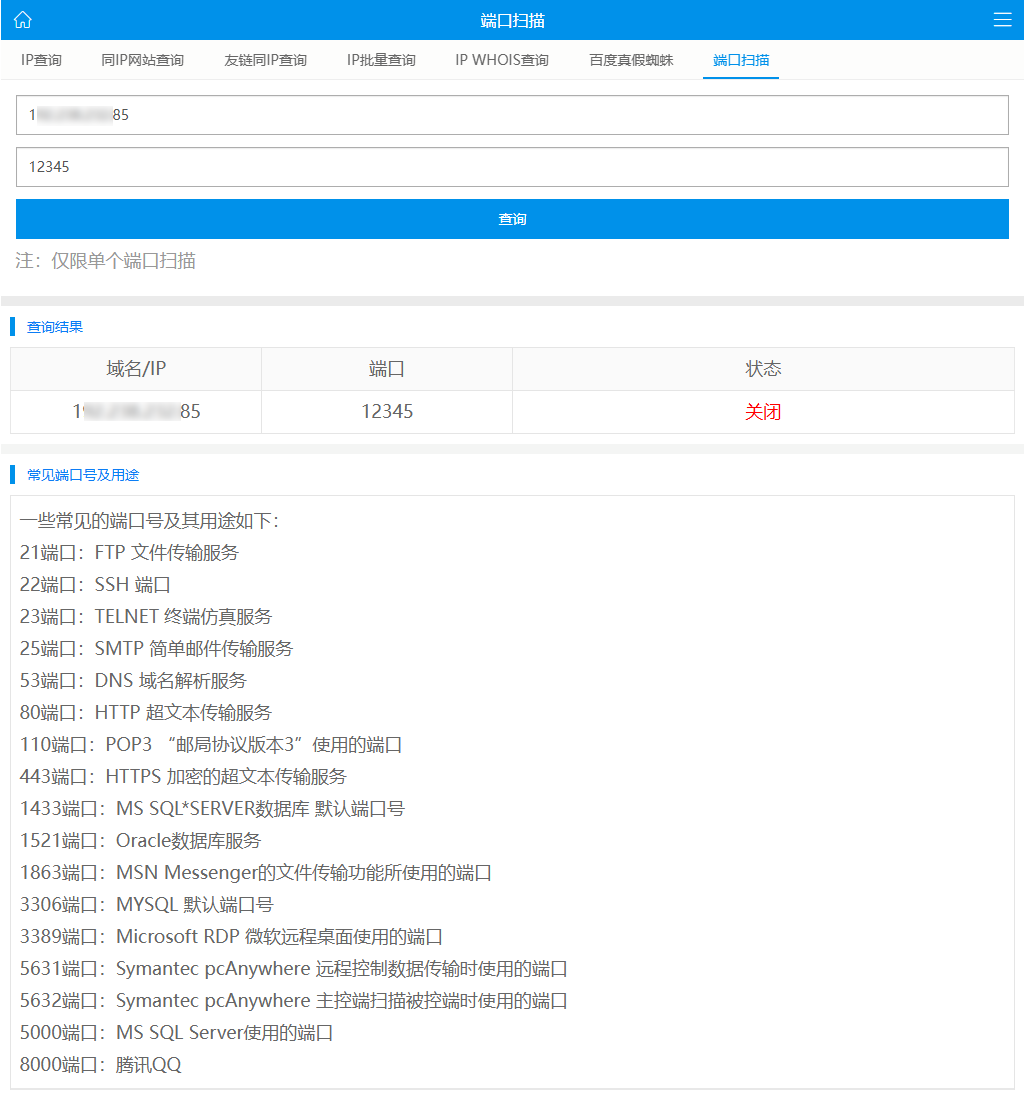
在线端口扫描检测工具 https://mtool.chinaz.com/port
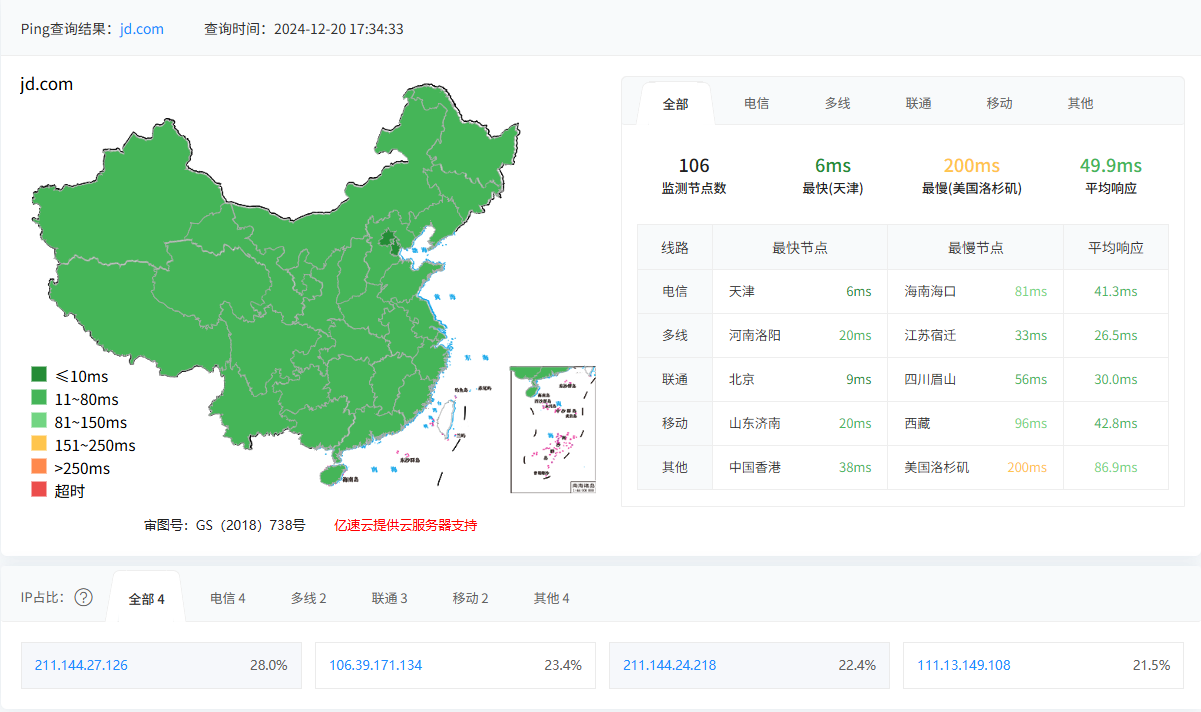
多地区 ping 测试,部分支持 TCP, 使用
jd.com京东官网为例测试 https://ping.chinaz.com/jd.com
喜欢10
不喜欢1




网友评论